


Sezi Yazgan
Nov 18, 2026What Is ChatGPT Business Hub? How to Use It: A Complete Guide for Businesses in 2026
AI-powered search systems are changing how users discover businesses and compare products. Instead of relying solely on traditional search engines to find websites, people can now ask ChatGPT directly for business recommendations and purchasing advice.
In response to this shift, OpenAI introduced ChatGPT Business Hub in beta on November 10, 2026. The platform enables businesses to manage their presence on ChatGPT, creating new opportunities for digital marketing and AI search visibility.
What Is ChatGPT Business Hub?
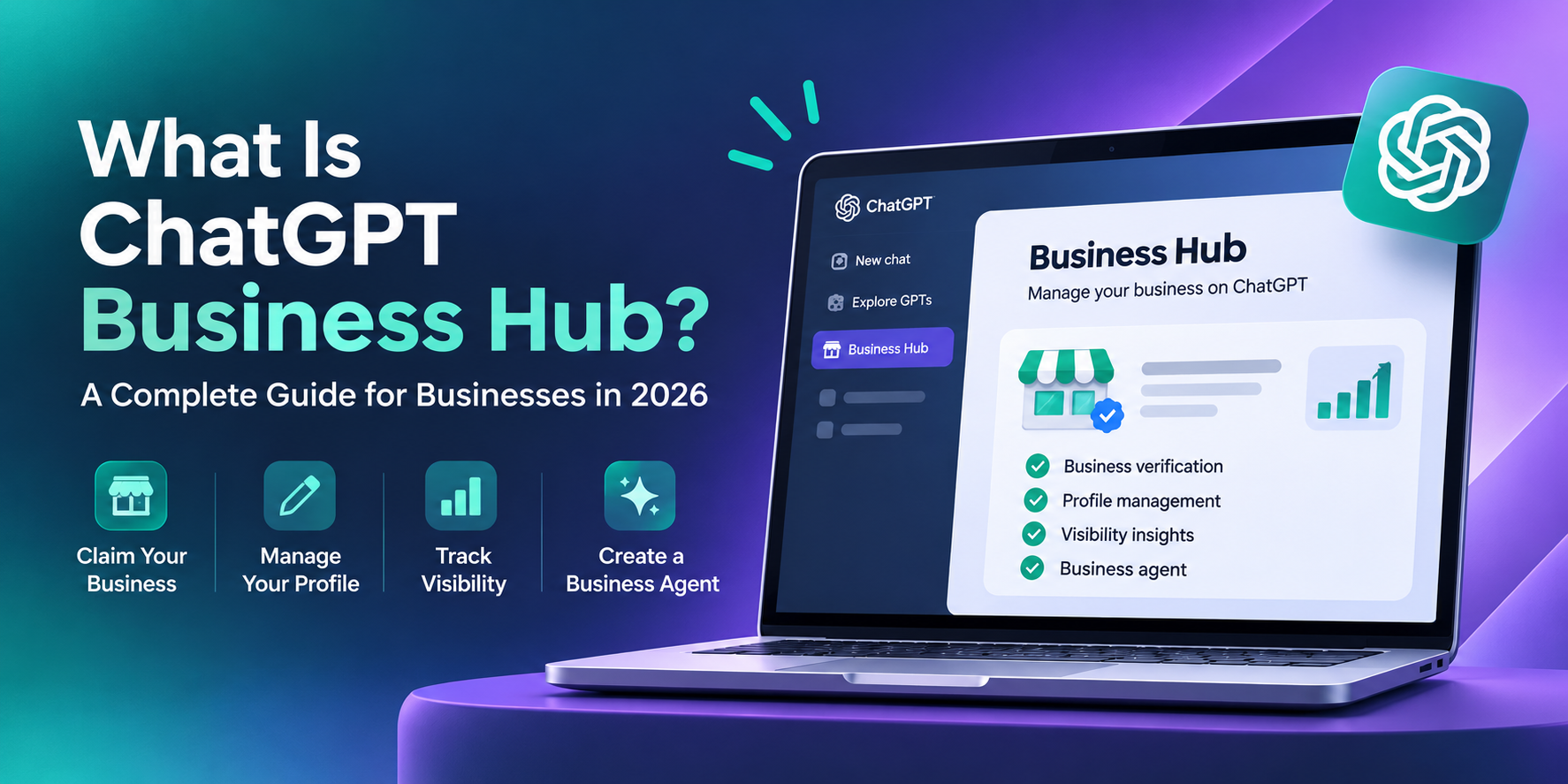
ChatGPT Business Hub is an OpenAI platform that allows businesses to claim their profiles on ChatGPT, update company information, and analyze how users interact with their businesses.
Its key features include:
Business Verification: Verify that you are the business owner or an authorized representative.
Profile Management: Update business descriptions, website details, and other supported information.
Product Catalog: Allow eligible businesses to share up-to-date product details and pricing information.
Visibility Analytics: Monitor business mentions, website clicks, and discovery topics within ChatGPT.
Business Agent: Create an AI-powered assistant that answers customer questions for eligible businesses.
The availability of these features depends on the business type, location, and verification status.
For more information, visit the official OpenAI announcement.
How to Register Your Business on ChatGPT Business Hub
To register a business, you must sign in to your ChatGPT account and initiate the business claiming process through Business Hub.
1. Sign In to Business Hub
Access ChatGPT Business Hub and open the business search section. You can also navigate to Business Hub directly through the ChatGPT web interface.
2. Find and Claim Your Business
Search for your business name, select the correct profile, and submit a claim request. Eligible businesses may also have the option to create a new business profile.
3. Complete the Verification Process
The platform requires you to verify your connection to the business. Available verification methods may include a corporate email address, phone verification, a DNS TXT record for your website domain, or an eligible Shopify store connection. After your initial claim is approved, you must complete additional identity and business authorization verification through Persona.
4. Update Your Business Information
Once the necessary approvals are completed, you can update the supported fields in your business profile. Make sure your business description is clear, your official website URL is accurate, and your product information is up to date.
5. Monitor Your Business Visibility
Use the Insights section to analyze the topics through which users discover your business and evaluate interactions that lead to your website. For detailed verification requirements and eligibility criteria, refer to OpenAI's official business setup guide.
How Does ChatGPT Business Hub Impact SEO?
ChatGPT Business Hub helps businesses manage their information more systematically within AI-powered search and discovery experiences. Traditional Search Engine Optimization (SEO) focuses on improving a website's visibility in search engines such as Google. Generative Engine Optimization (GEO), on the other hand, aims to make brands and content more understandable, accessible, and suitable for citation within generative AI responses.
For example, a user might ask ChatGPT:
“Which agencies in Istanbul specialize in developing e-commerce platforms?”
ChatGPT may use information from various sources to generate recommendations and provide details about relevant businesses. Verified business information can help make more accurate and up-to-date company details available within this ecosystem. However, registering with Business Hub does not guarantee higher rankings or recommendations in ChatGPT responses.
How to Improve Your Business Visibility on ChatGPT
Creating a Business Hub account is only the first step. A sustainable digital visibility strategy requires improvements to your website, content, and overall brand presence.
1. Strengthen Your Corporate Website
Clearly introduce your business through your About Us, Services, Contact, and Product pages. Use relevant Schema.org structured data that accurately reflects the information displayed on your website.
2. Create Question-Based Content
Develop informative guides, product comparisons, and FAQ sections that directly answer your customers' questions. Support concise answers with practical examples, reliable information, and relevant insights.
3. Analyze Content Performance and Visibility Data
Evaluate data from Business Hub Insights, Google Search Console, and your website analytics tools according to their respective measurement methods. Identify the topics that generate interest and determine opportunities for content improvement. Additionally, demonstrate your expertise through reputable industry publications, publish relevant case studies, and ensure your business information remains consistent across trustworthy online sources.
What Is ChatGPT Business Hub Insights?
Insights is an analytics section that allows businesses to evaluate certain interactions within ChatGPT using aggregated data.
| Metric | What Does It Measure? |
|---|---|
| Mentions | The number of times a business is mentioned within ChatGPT according to specific measurement criteria. |
| Website Clicks | Measured clicks on links directing users to the business website. |
| Discovery Topics | Categories of topics associated with responses in which the business is discovered. |
OpenAI does not provide businesses with access to individual user conversations through these analytics.
Instead, data is aggregated and may be subject to privacy thresholds.
What Is ChatGPT Business Agent?
ChatGPT Business Agent is an AI-powered experience that answers questions about a business's products, services, and company policies using information provided by the business.
For example, customers may ask an agent to compare the features of two products or explain shipping and return policies. Businesses can use their own content to help provide more consistent and relevant responses to customer inquiries. As of November 18, 2026, the Business Agent creation feature is limited to eligible e-commerce and online service businesses in the United States. Claiming a business profile through Business Hub does not automatically provide access to Business Agent.
Frequently Asked Questions About ChatGPT Business Hub
Is ChatGPT Business Hub Free?
Businesses do not need a ChatGPT Enterprise subscription or an advertising account to claim an eligible business profile. However, there is no guarantee that all current and future features will remain free.
Are ChatGPT Business Hub and ChatGPT Business the Same?
No. ChatGPT Business is a subscription plan designed for teams that want to use AI tools within a collaborative workspace. ChatGPT Business Hub, on the other hand, focuses on managing business profiles and visibility information within ChatGPT.
Will Adding My Business to ChatGPT Help Customers Find Me More Easily?
Providing accurate, up-to-date, and verifiable business information can be beneficial. However, registering a business profile does not guarantee that ChatGPT will recommend your company or that your business will receive more website traffic, leads, or customers.
More resources
What Is LLM Referral Traffic? How to Track AI Traffic in GA4
AI-powered search engines and answer platforms are changing how people discover information online....
What Is ChatGPT Business Hub? How to Use It: A Complete Guide for Businesses in 2026
AI-powered search systems are changing how users discover businesses and compare products. Instead o...

Feature Page SEO & GEO Checklist Guide
Feature pages serve as the primary commercial engine across SaaS and digital product ecosystems. For...