


Sezi Yazgan
Nov 18, 2026What Is LLM Referral Traffic? How to Track AI Traffic in GA4
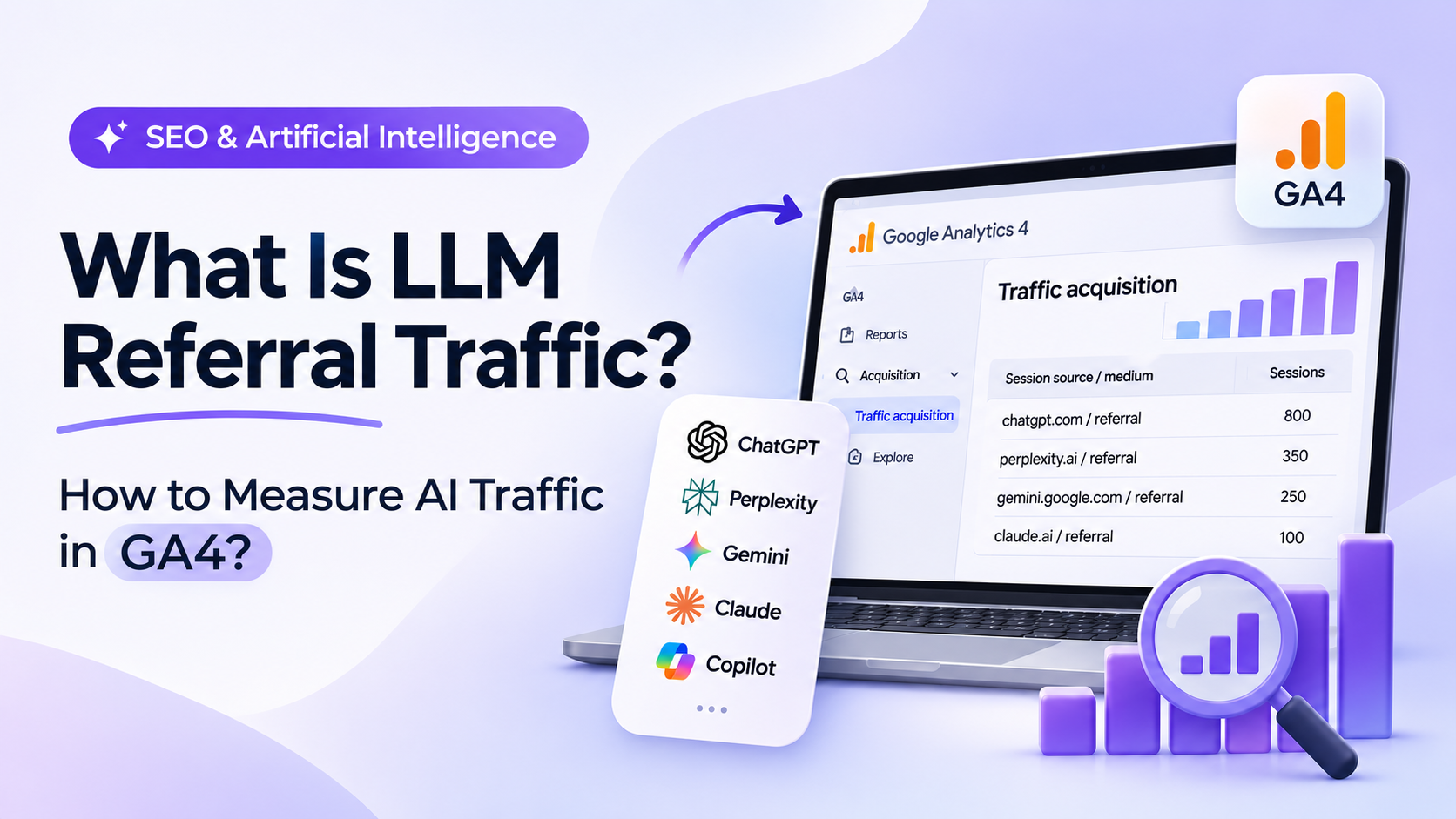
AI-powered search engines and answer platforms are changing how people discover information online. Alongside traditional search engines like Google, platforms such as ChatGPT, Perplexity, Gemini, Claude, and Microsoft Copilot are becoming important channels for discovering products, services, and online content.
This shift has introduced a new traffic source for websites: LLM Referral Traffic. But how much traffic does your website receive from AI platforms? Which pages do these visitors land on, and do they generate conversions? Google Analytics 4 (GA4) can help answer these questions when the necessary traffic source information is available. In this guide, we'll explain what LLM Referral Traffic is, how to identify AI-generated referral visits in GA4, how to group different AI traffic sources, and how to use this data to improve your SEO strategy.
What Is LLM Referral Traffic?
LLM Referral Traffic refers to website visits originating from AI platforms powered by large language models (LLMs).
Platforms such as ChatGPT, Perplexity, Claude, and Gemini may include links to external websites in their responses. When users click these links, they can generate visits to the referenced websites.
For example, someone might ask an AI assistant, "What are the best e-commerce SEO strategies?" The platform may recommend a relevant guide and provide a link to it. If the user follows that link, the resulting visit may be recorded as AI referral traffic, provided the necessary tracking information is available.
However, two concepts should be distinguished:
AI Visibility: The presence of a brand or piece of content in AI-generated answers, recommendations, or citations.
AI Referral Traffic: Website visits generated when users click links from AI platforms.
Being cited in an AI-generated response does not automatically generate website traffic. The user must click the link.
Therefore, LLM Referral Traffic represents measurable visits rather than a complete picture of a website's visibility across AI platforms.
Why Is LLM Referral Traffic Important?
Traditional SEO reports focus on organic traffic, keyword rankings, clicks, and conversions. As AI-powered platforms become more widely used, businesses need a broader understanding of where their website visitors come from.
Analyzing LLM Referral Traffic provides valuable insights in three main areas.
1. Identifying New User Acquisition Channels
You can determine which AI platforms are sending visitors to your website.
Instead of focusing exclusively on Google and other traditional search engines, you can evaluate how emerging AI platforms contribute to your overall acquisition strategy.
2. Evaluating Content Performance
AI referral analysis helps identify which blog posts, product pages, and informational guides attract visitors from AI-powered platforms.
These insights can reveal which topics and content formats generate meaningful visits and engagement.
3. Measuring the Business Value of AI Traffic
You can analyze whether visitors arriving from AI platforms complete valuable actions, such as submitting forms, requesting quotes, signing up for services, or making purchases.
For example, a website might receive significantly more traffic from organic search while attracting fewer but more conversion-oriented visitors from AI platforms.
In this situation, the business value of the traffic may be more important than the number of sessions alone.
Which AI Platforms Can Generate Measurable Referral Traffic?
When analyzing AI traffic in GA4, you can examine source domains associated with different AI platforms.
The following table includes examples of domains worth monitoring.
| AI Platform | Example Traffic Source |
|---|---|
| ChatGPT | chatgpt.com, chat.openai.com |
| Perplexity | perplexity.ai |
| Google Gemini | gemini.google.com |
| Claude | claude.ai |
| Microsoft Copilot | copilot.microsoft.com, copilot.com |
| DeepSeek | chat.deepseek.com |
| Grok | grok.com |
Not all these domains will necessarily appear in every GA4 property.
Traffic attribution depends on several factors, including how the platform opens external links, whether referral information is passed, the presence of UTM parameters, and the website's analytics configuration.
Additionally, visits originating from AI-powered Google Search features, such as AI Overviews and AI Mode, may not always be distinguishable from traditional Google organic search traffic.
As a result, AI Referral Traffic measured in GA4 should not be considered a complete count of all visits influenced by AI platforms.
How Does AI Traffic Appear in GA4?
Google Analytics 4 classifies traffic using dimensions such as source, medium, and channel group.
Two dimensions are particularly important:
Session source: Identifies the source associated with a website session.
Session medium: Describes the traffic medium associated with that session.
For example, a visit from Perplexity may appear as:
perplexity.ai / referral
However, not every AI-generated visit is necessarily classified under the Referral channel.
Depending on campaign parameters and GA4 attribution rules, sessions may appear under different source/medium combinations.
For this reason, reviewing the Session source / medium dimension provides a more comprehensive starting point than filtering only the Referral channel.
How to Measure LLM Referral Traffic in GA4
There are three practical methods for measuring AI-generated traffic in Google Analytics 4.
The most appropriate method depends on whether you need a quick overview, detailed analysis, or ongoing reporting.
1. View AI Traffic Using the GA4 Traffic Acquisition Report
The Traffic acquisition report is the fastest way to identify visits from AI platforms.
Step 1: Open your GA4 property.
Visit Google Analytics and select the property associated with your website.
Step 2: Navigate to the Traffic acquisition report.
Follow this path:
Reports → Acquisition → Traffic acquisition
Step 3: Change the traffic source dimension.
In the report table, change the primary dimension from the default channel grouping to:
Session source / medium
This allows you to view sessions by their associated source and medium rather than broad channel categories.
Step 4: Search for AI traffic sources.
Use the search field above the report table to look for platform names such as:
chatgptperplexitygeminiclaude
For example, your report might contain source/medium combinations such as:
chatgpt.com / referral
perplexity.ai / referral
claude.ai / referral
These are illustrative examples. The actual values in your GA4 reports may differ.
Step 5: Evaluate traffic and engagement.
Compare the number of sessions, engagement rates, key events, and revenue associated with each traffic source.
This method is useful for quickly identifying existing AI referral traffic without creating a custom report.
2. Create a Custom AI Traffic Report Using GA4 Explorations
If you want to compare multiple AI platforms within a single report and analyze the performance of individual pages, GA4 Explorations provides more flexibility.
Step 1: Navigate to Explore → Blank exploration.
Step 2: Name the exploration AI Referral Traffic Analysis.
Step 3: Add the following dimensions:
Session source / medium
Session source
Landing page + query string
Device category
Country
Step 4: Add the following metrics:
Sessions
Total users
Engagement rate
Session key event rate
Key events
Total revenue
Step 5: In the Free form exploration, add Session source / medium to Rows and your selected metrics to Values.
Step 6: In the Filters section, add the Session source dimension and select a regular expression matching condition.
Use the following example:
(?i).*(chatgpt|openai|perplexity|claude|gemini|copilot|deepseek|grok).*This expression matches recorded traffic sources containing the specified AI platform names.
It only applies to source values that GA4 has successfully collected.
Step 7: Use the Landing page + query string dimension to identify which pages receive AI referral visits.
For example, you might discover that one informational guide receives more visits from Perplexity, while a product comparison page generates more conversions from another AI platform.
This type of report is particularly valuable for SEO specialists and content marketing teams evaluating page-level performance.
3. Create a Custom AI Traffic Channel in GA4
For consistent, ongoing reporting, you can create a dedicated channel group for AI-generated traffic.
Google Analytics 4 supports Custom Channel Groups, which allow you to classify traffic according to your own conditions.
Using this feature, you can group identifiable traffic from ChatGPT, Perplexity, Gemini, Claude, and other AI platforms under a single channel, such as AI Assistants.
Step 1: Open Channel groups.
In GA4, navigate to:
Admin → Data display → Channel groups
Step 2: Create a custom channel group.
Select Create new channel group.
You can name the group:
Marketing Channels + AI
Step 3: Define a new AI channel.
Add a new channel and name it:
AI Assistants
Step 4: Configure the source matching rule.
Select Source as the condition dimension and matches regex as the matching method.
Use the following expression:
(?i).*(chatgpt|openai|perplexity|claude|gemini|copilot|deepseek|grok).*Step 5: Adjust the channel order.
Move the AI Assistants channel above the Referral channel.
You should also check for potential overlaps with other channel definitions.
Channel order matters because GA4 assigns traffic to the first channel whose conditions are satisfied.
Step 6: Save and review the report.
Save the channel group and return to the Traffic acquisition report.
Select your custom channel group as the reporting dimension.
You can then analyze identifiable AI-generated sessions under one category.
Creating custom channel groups requires appropriate editing permissions in your GA4 property.
Keep in mind that this configuration cannot recover visits that were never tracked or attributed to a recognizable source.
How to Use Regex to Filter AI Traffic in GA4
Regex, short for Regular Expression, is a method of matching specific patterns within text.
In AI traffic analysis, regex is particularly useful for grouping visits from multiple AI platforms under a single filter.
For example, the following expression provides a starting point for tracking several popular AI assistants:
(?i).*(chatgpt|openai|perplexity|claude|gemini|copilot|deepseek|grok).*Here's how it works:
(?i)makes the expression case-insensitive..*allows additional characters before or after the specified terms.|separates alternative matching terms.The expressions inside parentheses identify the platform names to match.
You can narrow the expression by including only the platforms relevant to your analysis.
However, overly broad regex patterns may also match unrelated traffic sources.
For example, short expressions such as ai or gpt may appear within unrelated domain names.
For more accurate reporting, review your actual source values and adjust the filter accordingly.
Regex rules should also be reviewed as new AI platforms emerge or existing services change their domains.
Which Metrics Should You Track for AI Referral Traffic?
Measuring AI traffic requires more than counting website visits.
To understand its value, you should evaluate traffic volume, user engagement, and conversion performance.
The following metrics provide a practical starting point.
| Metric | Purpose |
|---|---|
| Sessions | Measure the volume of AI-generated sessions |
| Total users | Identify the number of users associated with AI traffic |
| Engagement rate | Evaluate how actively visitors engage with the website |
| Average engagement time per session | Measure average active engagement time |
| Key events | Track important user actions |
| Session key event rate | Measure the percentage of sessions containing at least one key event |
| Total revenue | Evaluate the revenue contribution of AI traffic |
Consider the following hypothetical monthly AI traffic report:
| Source | Sessions | Sessions With Key Events | Session Key Event Rate |
|---|---|---|---|
| ChatGPT | 800 | 40 | 5% |
| Perplexity | 350 | 28 | 8% |
| Gemini | 250 | 10 | 4% |
| Claude | 100 | 6 | 6% |
| Total | 1,500 | 84 | 5.6% |
These figures are illustrative and do not represent data from an actual website.
In this example, ChatGPT generates the highest number of sessions, while Perplexity delivers the highest session key event rate.
The key takeaway is that traffic volume and traffic quality are different performance indicators.
However, conversion rates can fluctuate significantly when sample sizes are small. For this reason, comparisons should use sufficient data and consistent reporting periods whenever possible.
Which Website Pages Receive AI Referral Traffic?
Landing page analysis is an important part of evaluating AI Referral Traffic.
When an AI platform includes a link to a specific page on your website, users may visit that page directly.
If the visit is measured successfully, GA4 can report the destination as a landing page.
To analyze these visits, use the Landing page + query string dimension in GA4 Explorations.
Sort the landing pages by AI-generated sessions to identify which pieces of content attract visitors.
Focus on questions such as:
Which pages receive the most AI referral traffic?
Do informational articles or commercial pages perform better?
Which landing pages generate stronger user engagement?
Which pages contribute to key events or revenue?
For example, a guide about GA4 setup may attract a large number of visitors, while a GA4 consulting services page may receive fewer visits but generate more quote requests.
Evaluating these pages only by session volume would provide an incomplete picture.
Landing page analysis helps determine how AI-generated traffic contributes to your broader content and business strategy.
Why Might AI Traffic Not Appear in GA4?
Your website may be referenced in AI-generated answers without showing identifiable AI traffic in Google Analytics 4.
Several factors can explain this.
- Missing referral information: Some applications, browsers, or link-opening methods may prevent referral information from being passed to the destination website.
- Direct traffic classification: Sessions without an identifiable source may sometimes appear as
(direct) / (none). However, this does not mean all Direct traffic originated from AI platforms. - Tracking and consent limitations: Missing GA4 tags, consent settings, or tracking blockers may prevent certain visits from being recorded.
- Using the wrong traffic dimension:
First user sourceandSession sourcemeasure different aspects of acquisition. Session-based dimensions are generally more appropriate for analyzing AI referral sessions. - No actual link clicks: A page appearing as a citation in an AI-generated response does not mean that users clicked through to the website.
Therefore, the absence of identifiable AI traffic in GA4 does not prove that your website has no visibility across AI platforms.
What Is the Difference Between AI Referral Traffic and Organic Search Traffic?
Both organic search and AI referral traffic can help users discover your website, but they involve different discovery experiences and measurement approaches.
| Criteria | Organic Search Traffic | AI Referral Traffic |
|---|---|---|
| Discovery method | Traditional search results | Links within AI-generated responses |
| Main platforms | Google, Bing, and other search engines | ChatGPT, Perplexity, Claude, Gemini, and others |
| User interaction | Clicking a search result | Clicking a link in an AI response |
| Primary measurement | Organic sessions and conversions | AI-generated sessions and conversions |
| Analytics tools | GA4, Google Search Console | GA4, custom reports, and AI visibility tools |
An important distinction is that AI-powered search features do not always create separate referral sources.
For example, visits originating from Google's AI Overviews may be reported alongside Google organic search traffic. As a result, organic search and AI referral traffic are not two completely separate datasets that capture every AI-driven interaction.
How to Increase LLM Referral Traffic
Increasing AI referral traffic starts with making your content discoverable, accessible, and relevant to the questions users ask AI platforms. In addition to traditional keyword optimization, content quality and usefulness should be central to your strategy.
Create Content That Directly Answers User Questions
People often use AI platforms to find specific answers. Organize your content around relevant questions and provide clear explanations, concise definitions, and practical answers.
Publish Original and Verifiable Information
Support your content with original research, measurements, comparisons, and real-world examples. For technical guides, accurate instructions, tested workflows, and reliable sources provide additional value to readers.
Check Technical Accessibility
Make sure important pages are accessible to relevant crawlers, return appropriate HTTP responses, and follow the crawling policies you intend to apply. Different AI platforms may use different crawlers and access methods, so their technical requirements should be evaluated individually.
Improve Content Structure
Use descriptive headings, comparison tables, clear definitions, relevant examples, and step-by-step instructions. A well-organized structure makes information easier for readers to locate and helps communicate the purpose of each content section.
Keep Your Content Updated
Regular content updates are especially important in rapidly evolving fields such as analytics, digital marketing, and artificial intelligence. Outdated interface instructions or inaccurate technical explanations can reduce the usefulness of an article. None of these practices guarantees that an AI platform will cite your content. The goal is to create useful, trustworthy, and accessible information.
How to Create an LLM Referral Traffic Report
You can build a monthly AI traffic report using data from Google Analytics 4.
An effective reporting framework should answer three essential questions.
Where is the traffic coming from?
Analyze sessions, users, and the share of total website traffic attributed to each identifiable AI platform.
Which pages are users visiting?
Compare the landing pages and content categories receiving the most AI referral visits.
What results does this traffic generate?
Evaluate key events, conversion rates, and revenue where applicable.
You can connect GA4 to Looker Studio to display these metrics in a single dashboard.
For example, a dashboard might include total AI sessions and conversions at the top, traffic distribution by AI platform in the middle, and top-performing landing pages below. Updating the report monthly allows you to monitor how AI-generated website traffic changes over time.
Frequently Asked Questions About LLM Referral Traffic
Does GA4 Automatically Track AI Traffic?
GA4 can measure visits when appropriate source or campaign information is available. However, you should not assume that it automatically groups traffic from every AI platform into a dedicated AI channel. Custom channel groups can be used for this purpose.
Can Traffic From All AI Platforms Be Measured?
Not completely. Only visits recorded by GA4 and associated with identifiable sources can be measured accurately. Missing referral information may cause some AI-generated visits to go unattributed.
Are LLM Referral Traffic and AI Referral Traffic the Same Thing?
These terms are often used interchangeably in digital marketing. Both generally describe website visits originating from AI-powered platforms.
Which GA4 Channel Contains AI Traffic?
Depending on the available source and campaign information, AI-generated visits may appear under Referral or another channel. You can analyze these visits using the Session source / medium dimension and custom channel groups.
Is Regex Required to Track AI Traffic in GA4?
No. Standard report filters are sufficient when checking individual traffic sources. Regex becomes useful when you want to combine multiple AI platforms within a single report.
Can Google AI Overviews Traffic Be Measured Separately?
Visits from Google AI Overviews cannot always be distinguished as a separate AI traffic source in standard GA4 reports. These visits may be included within Google organic search traffic.
Does Visibility on AI Platforms Affect SEO?
Visibility on AI platforms can help new users discover your website. However, being cited in an AI-generated response does not guarantee improved rankings in Google organic search results.
More resources
What Is LLM Referral Traffic? How to Track AI Traffic in GA4
AI-powered search engines and answer platforms are changing how people discover information online....
What Is ChatGPT Business Hub? How to Use It: A Complete Guide for Businesses in 2026
AI-powered search systems are changing how users discover businesses and compare products. Instead o...

Feature Page SEO & GEO Checklist Guide
Feature pages serve as the primary commercial engine across SaaS and digital product ecosystems. For...