

Marketing tips, news and more
Explore expert-backed articles on SEO, data, AI, and performance marketing. From strategic trends to hands-on tips, our blog delivers everything you need to grow smarter.
Screaming Frog User Guide and Configuration Settings
If you want to learn what you can do before you start using Screaming Frog, one of the most frequently used tools by SEO experts, this content is for you.What Is Screaming Frog?Screaming Frog is a tool that scans your website by imitating search engines and allows you to see your website's shortcomings by listing important metrics for SEO. It was founded in 2010 by Dan Sharp. The most important difference from its competitors is that it is Java-based, not cloud-based, and you can install and use it on your computer.There are free and premium versions of Screaming Frog. While the restriction is 500 URLs in the free version, it allows unlimited browsing in the paid version. You can start using it by downloading it from https://www.screamingfrog.co.uk/seo-spider/#download.Obtaining and Activating a Screaming Frog LicenseIf you want to use the premium version instead of the free version, you must obtain a license from https://www.screamingfrog.co.uk/seo-spider/licence/ and enter this license in the tool you downloaded. After entering the user name and license number, you can start using your Screaming Frog program by closing and reopening it.Settings and Configuration OptionsMemory Allocation: Opens to 1GB for 32-bit and 2GB for 64-bit machines as the boot setting in Screaming Frog. If you customize and increase the amount of RAM here, it will allow you to crawl more URLs while in RAM mode.When browsing websites with many pages, you can manually adjust the setting here and increase it, with computers with high memory, you can finish your browsing faster and in a shorter time.Storage Mode: In this section about where the data you scan will be stored and processed, there are two options: Memory Storage and Database Storage. When the Memory Storage setting is selected, all data is stored in RAM, while when Database Storage is selected, storage is provided on the HDD/SSD.Memory Storage Mode is recommended for websites with fewer URLs and machines with high RAM.Proxy Configuration: If you want to use a proxy, you can make settings from this section.Language Configuration: Here you can set the language you want to use the tool in.Screaming Frog Mode SettingsSpider: In this setting, Screaming Frog bots will continue to crawl until they discover all URLs on the website you started crawling.List: This mode allows you to manually specify the URLs you want to crawl. It only scans the URLs you specify.SERP: It provides a preview of how the meta title and description tags of the pages you scan are reflected in the search results.Compare Mode: This mode creates your new scan by comparing it with the previous scan. In this way, you can more easily see which issues have been resolved.Screaming Frog Configuration SettingsSpider: You can select the areas you want or don't want to include before the crawl from the crawl area. You can specify what to exclude with the extraction field. You can configure the limit or depth of your scan in the limits section. You can change the render option in the rendering section to see the data correctly on your JS rendering site. In the advanced section, you can give directions about whether to consider tags such as noindex, canonical, and next/prev. In the preferences section, you can specify or change the pixel boundaries of your meta tags again.Content Area: In this area, you can check the analysis and grammar compatibility of the content on the site you will browse. Screaming frog considers content in the body of a page. It is recommended that you make customizations so that the tool can make more accurate interpretations on a website that was not created using HTML5 semantic elements.Content Duplicates: You can make your custom settings here to test the originality of the content on your site.Spelling & Grammar: Spelling and grammatical errors and the corresponding “Spelling” and “Grammar” options must be enabled for results to be displayed in the Content tab. In this way, you also provide these controls.Robots.txt: You can make the settings related to the crawling of the site you will scan without considering the commands in the robots.txt file in this crawl. You can also create a robots file yourself and have it scanned accordingly.URL Rewriting: You can specify the URLs that you do not want to see in the search results from this field. You can rewrite URLs in the URL Rewriting field. For example, you can reschedule the URLs with the Regex rules you apply to show the URLs with www as non-www or to see the URLs with the .co.uk domain extension in the .com domain extension and see them in the crawl results accordingly. Or, if you want to print your test site URLs, which are in a separate subdomain, as in your live site, this area will be very useful.CDN: The CDN tab is a feature you can use to make Screaming Frog see the URLs of your CDN service as internal links when browsing. After this adjustment, the links of the CDN address will appear in the "Internal" tab in Screaming Frog, and more details will be previewed.Include: The "Include" feature of Screaming Frog can be used when scanning for URLs that will be preferred on sites with a high number of URLs. For this feature to work, the URL from which you start the crawl must have an internal link that matches the regex, or Screaming Frog will not be able to crawl a second URL after the first URL. In addition, the URL from which you start scanning in Screaming Frog must also comply with your matching rules here.https://www.screamingfrog.co.uk/seo-spider/user-guide/configuration/#includeExclude: You can use this feature to exclude URLs, folders, and parameters that you do not want to be crawled while browsing. To exclude URLs from crawling, you need to use Regex language and write commands like this. The exclusions you apply here do not work on the first URL you start crawling on Screaming Frog. The Exclude setting applies only to other URLs discovered during crawling.https://www.screamingfrog.co.uk/seo-spider/user-guide/configuration/#excludeSpeed: In this field, you can set how many URLs the tool will scan per second. The maximum number of Screaming Frog's default settings is 5, and the number of URLs crawled per second is 2. You may need to reduce the browsing speed according to the server performance of the site you are browsing, otherwise, if the number of requests per second is high, you are likely to encounter 500 errors.User-Agent: Before you start scanning, you can regulate which User-Agent you will use to visit the pages with this setting. It may have blocked the Screaming Frog User-Agent on the server side of a website to be scanned. In this case, if you use the Screaming Frog User-Agent, your scan will not occur. You can use this field to check the crawlability of your website in different user-agent options.HTTP Header: The HTTP Header option allows you to scan by providing custom HTTP Header request during a scan in Screaming Frog.Custom Search: The Custom Search section is a feature that allows you to search for any data you want in the source code of a site, thanks to Screaming Frog. You can search HTML for a value you enter as Text or Regex in the Custom Search section. You can check whether the value you entered is in HTML with the "Contains" or "Does Not Contains" options, and you can get the results.Custom Extraction: The Custom Extraction section allows you to extract data from a site's HTML using CSSPath, XPath or Regex. For example, you can access the product codes on the product pages of an e-commerce site with the CSSPath, XPath or Regex settings you will make through this field. The Custom Extraction tool allows you to extract data from working HTML pages that only have 200 response codes. You can switch to JavaScript rendering mode to pull data from HTML rendered outside of a static HTML page.Custom Link Positions: Screaming Frog scans a web page's content, sidebar or footer areas and categorizes each link it discovers based on its location. With the Custom Link Positions tool, you can ensure that the XPath field, which expresses the link positions in the "Inlinks" and "Outlinks" sections in Screaming Frog, works in accordance with the criteria you specify. Thus, you can check whether there is a link in the field you specified.Google Analytics API: By connecting your Google Analytics account with Screaming Frog, you can perform a more detailed scan with your old URLs. To make this connection, you need to click the Google Analytics tab from the API Access menu and then click the “Connect to New Account” button to connect with your Analytics account.Search Console API: For the Search Console connection, you need to click on Google Search Console from the API Access menu and click the "Connect to New Account" button in the window that opens and select your Google account where your Search Console property is located and give the requested permissions. In this way, you can also perform a check for your URLs that were previously discovered and crawled by Google but are not currently on our website.Page Speed Insight API: If you want to see the speed values of your crawled URLs obtained from PageSpeed Insights together with the Screaming Frog scan, you must click on the PageSpeed Insights section of the API Access menu and enter the desired "Secret Key" information before starting your scan. In this way, you will be able to see the speed performance metrics of your crawled URLs in your crawl results.Ahrefs API Connection: If you want to see data from Ahrefs in your scan results, you can connect your Ahrefs account with Screaming Frog. When you click the Ahrefs section in the API Access menu, you need to enter the "Access Token" information in the window that opens.Authentication: If the website you want to scan works after a user log in, you can save your site's user login URL and username & password information to Screaming Frog from the "Forms Based" section in this area. In this way, while scanning, the Screaming Frog bot will first log into your site as if it is a user and will be able to scan for the pages that come after the login screen.

What is Robots.txt and How to Create and Use It?
When search engine bots visit a website, they use the robots.txt file to control crawling and indexing. Also known as the Robots Exclusion Standard, robots.txt tells crawlers which files, folders, or URLs on your web server they may or may not access.You may have heard many misconceptions about how to use robots.txt. In reality, it simply tells visiting bots which URLs on your site they should crawl. It’s used primarily to reduce request load and optimize crawl budget. It is not a way to prevent pages from appearing in search results—that requires a tag or authentication barrier.What Is Robots.txt?robots.txt is a plain-text file placed in your site’s root directory that gives crawlers directives about which URLs (HTTP 200) they may or may not crawl.Bots generally obey these directives. Pages disallowed in robots.txt won’t be crawled, though if those URLs are linked elsewhere, Google may still crawl them.SEO Tip: If bots encounter a 5xx server error reading your robots.txt, they’ll assume something is wrong and stop crawling. That can make images behind a CDN disappear from Google’s view, for example.Why Is Robots.txt Important for SEO?Before crawling your sitemap URLs, bots first fetch your robots.txt. Any incorrect directive can lead to important pages being skipped. A temporary misconfiguration shouldn’t be irreversible—but fix it quickly to avoid lasting harm.For instance, if you accidentally disallow a key category page, it won’t be crawled until you remove the directive. Bots cache your robots.txt for 24 hours, so changes take up to a day to take effect.Where to Find Robots.txtPlace your robots.txt in your site’s root directory (e.g. example.com/robots.txt). Crawlers universally look for it there—never move it.Creating Robots.txtYou can hand-edit robots.txt with any text editor or generate it via an online tool. Then upload it to your site’s root.Manual CreationOpen a plain‐text editor and enter directives such as:User-agent: * Allow: / Sitemap: https://example.com/sitemap.xml Save as robots.txt and upload to your root directory.Recommended DirectivesKey robots.txt commands: User-agent: Selects which crawler a rule applies to. Allow: Grants crawling permission. Disallow: Blocks crawling of specified paths. Sitemap: Points crawlers to your sitemap URL. User-agentSpecifies which bot follows the following rules. Common bots include: Googlebot Bingbot YandexBot DuckDuckBot Baiduspider …and many more. Example: Block only Googlebot from a thank-you page:User-agent: Googlebot Disallow: /thank-you Allow & DisallowAllow: permits crawling. Without any directives, the default is “allow all.”Disallow: forbids crawling of the specified path.Examples: Allow all: User-agent: *Allow: / Block all: User-agent: *Disallow: / Block a folder but allow one subpage: User-agent: * Disallow: /private/ Allow: /private/public-info Testing with Google’s Robots.txt TesterIn Google Search Console, under Index > Coverage, you’ll see any robots.txt-related errors. You can also use the Robots.txt Tester to simulate how Googlebot handles specific URLs.Common GSC Warnings Blocked by robots.txt: URL is disallowed. Indexed though blocked by robots.txt: Page is in the index despite being disallowed—use noindex or remove links. Best Practices & Reminders Bots fetch robots.txt before crawling any page. Use Disallow: to prevent low-value pages from being crawled and wasting budget. Include your sitemap with Sitemap:. Keep robots.txt under 500 KiB—Google only reads up to that size. Test for server errors—5xx responses cause bots to stop crawling. Respect case sensitivity in URL paths. Conclusionrobots.txt is a simple yet critical file for guiding crawlers and optimizing your crawl budget. Ensure it’s correct, keep it at your root, and test any changes promptly.
GA4 Custom Definitions and Usage Areas
The latest version of Analytics, GA4, allows you to understand the full customer lifecycle across both your website and mobile apps. While GA4 still shares many features with Universal Analytics, it also introduces some intriguing changes. The most notable of these is custom definitions. Of course, we’re not seeing the concept of dimensions and metrics for the first time in GA4. If you’ve been using Analytics for a while, you’re probably already familiar with custom dimensions.When you send a hit to Google Analytics, certain data is collected automatically. This includes user identifiers (such as user IDs), device information, and also tracks which content the user interacted with and how they behaved on your website or mobile apps.Benefits of Using Dimensions in GA4However, there may be other data you want to collect that is specific to your website or mobile app. That’s where dimensions come into play. Simply put, a dimension is a parameter or feature of your data. It can describe a property of a product, event, user, page, etc. Dimensions help us better define and understand the what, where, and when of our data.For example:When a transaction occurs on a website, some possible dimensions are: Transaction ID Coupon Code Last Traffic Source When a user logs in to a website and we send a login event to Google Analytics, the dimensions of that event could include: Login Method User ID When a product is purchased, possible dimensions are: Product Name Product Category Product Variant Product Size When a logged-in user views their account page, dimensions might include: User ID Registered Country Scopes in GA4Within a GA4 property, you’ll notice you can also configure metrics. Dimensions and metrics are very similar, but one key difference is that dimensions can have an event scope or a user scope, whereas metrics are always event-scoped. The variety of scopes we were familiar with in Universal Analytics has been simplified, with a primary focus on the event scope. Let’s review the available scopes:EventApplies only to the specific event/hit where the dimension is sent. For example, you might send an event “trial_started” to Universal Analytics along with an extra parameter “pricing_plan”. That dimension will only apply to the “trial_started” event.UserApplies to all events for a user from the moment the user property is set (as long as the GA cookie remains valid). In GA4, this is called a User Property, similar to user-scoped dimensions in Universal Analytics, but it only affects events going forward—it does not retroactively apply to past events within the same session.ProductOnly valid for a specific product (tracked via Enhanced Ecommerce). Even if you send multiple products in the same transaction, each product can have its own product-scoped dimensions (e.g., “product_color”, “product_size”).Note: Session and hit scopes are not directly supported in GA4 yet, but Google has indicated they plan to add session scope in the future. If you need to apply a dimension to all events in a session, you must include that dimension with every event (via gtag.js or GTM).Using Custom DefinitionsIf you want to use a parameter in GA4’s reports, you must register it as a Custom Definition. Otherwise, it won’t appear in the interface. You should do this at the same time you start sending the parameter, because custom definitions are not retroactive. Any data sent before you register the custom dimension or metric will not show up in your reports, though raw data (e.g., in BigQuery) will include it.How to Add a Custom Dimension in GA4 In your existing GA4 property, go to Configure → Custom definitions. Click on Create custom dimension. Enter the name you want to see in reports into the Dimension name field. Select Event as the scope (since we’re defining an event parameter). Optionally add a description in the Description field. Choose the parameter you’re sending from the Event parameter dropdown. Click Save. You can now use this dimension in your reports. How to Add a Custom Metric in GA4 In the Custom definitions area, switch to the Custom metrics tab and click Create custom metric. Enter the name for the metric in the Metric name field. Provide a description in the Description field. Select the parameter from the Event parameter dropdown. Choose the appropriate Unit of measurement (e.g., Integer, Currency, Time). Save—your new custom metric is now available for reporting. Note: Free GA4 properties have limits on the number of custom definitions (e.g., up to 25 user properties, 50 custom dimensions). GA360 accounts have higher limits.Summary and Tips Register custom dimensions/metrics at the same time you begin sending the parameters—definitions are not retroactive. Use tag manager or gtag.js to include parameters with every relevant event. Choose the correct scope: Event for event parameters, User for user properties, and Product for ecommerce product data. Leverage GA4’s custom definitions to enrich your data and unlock deeper analysis.

Agile Project Management and the Scrum Method
In order to understand why the scrum method, which is one of the Agile project management methods, is important, it is necessary first to analyze what the agile project method is, its history, and accordingly the need for one of the methods, the scrum method, and understand the requirements of the technique and where it is important.It would be best to evaluate the importance of Agile project management and scrum method according to the place and time of application. When these project-based methods are applied at the right time and in the right place, they will work in gold and will pave the way for people and institutions to stay up-to-date in the developing world. This will increase the quality of the projects and seriously improve the people and institutions working on those projects.What is Agile Project Management?Agile project management is a project management approach that is implemented by dividing the entire lifecycle into small parts, based on iteration from the first step to the last step of the project lifecycle, and re-planning and controlling at each of these steps.These interconnected and iterative life cycles are based on increasing speed and efficiency in projects. Agile project management, which is frequently used especially in software development projects, does not follow a linear path unlike historical project management, and gives you the authority to make changes and edits at each project step. The basis of this method, which prevents mistakes and loss of time, lies in mutual trust, desire for cooperation, advanced authorization skills, and the ability to be flexible and stay flexible.Agile project management, in which the steps of planning, implementation, control, feedback, review, and commissioning are applied respectively as in the image below, differs from classical project management applications with its system based on iteration, which has interconnected life cycles. The life cycle of the commissioned project does not end as it is commissioned, the life cycle is connected to the next project and follows the same steps as the old project.We will talk about how well this method works in the next parts of our blog. But at least, it is possible to say from the operation of this method that there is a continuous control mechanism in agile project management and the life cycles of projects are linked, that there are fewer mistakes, or that the results of the mistakes made can be easily reversed in the life cycle steps.What is The Scrum MethodSo what is the scrum methodology, which is one of the agile project management methods? Let's answer right away. With the frequent and rapid development of the world, it became difficult for especially large and bulky companies to keep up with the new order, customer expectations increased, and the scope and objectives of the projects expanded. As a result, project management became difficult and failures occurred in projects. Then several heroes appeared.The scrum methodology, developed by Ken Schwaber and Jeff Sutherland in the early 1990s, brought a new breath to project management whose efficiency started to be discussed. As can be noticed from the data obtained, the success rate in the projects has accelerated and increased after the development of agile project management and the scrum method.These philosophies are in the scrum methodology, which is built on 3 basic philosophies: Transparency: For the smooth progress of projects, mistakes, and truths are clearly seen by everyone Monitoring: Checking regularly Adaptation: Ensure changes made are compatible If we want to take a short trip to the times when the Scrum methodology was first applied, we see that this methodology is mostly used to optimize the project-based work of teams in information systems. When compared to the waterfall method, which is the most classical project management technique used in the world, it can be seen how important the scrum methodology is. The biggest reason for this difference is that project definitions in the world have become more complex. Because the scrum methodology is more meaningful for projects with complex and uncertain requirements by its nature. In addition, the benefits of the scrum methodology in increasing the profitability of companies due to market conditions and the flexibility in keeping up with changing technologies make the scrum method superior to the waterfall method.As can be seen in the chart above, there are serious differences between the success rates of large, medium, and small-scale projects in waterfall and agile scrum systems between 2013 and 2017. Especially as the project size grows and the project becomes more complex, the success experienced in the scrum methodology is an indicator of how successfully the scrum methodology works in complex structures.How Agile Project Management Scrum Methodology Works?For the Agile project management scrum methodology to be successful, the customer, who is defined as the product owner, must have a good command of the subject and exhibit a collaborative attitude with the development team, that is, the teams that will apply the scrum methodology.Without a hierarchical structure among team members, environments should be created where everyone's ideas and thoughts can be expressed on equal terms and weighed on equal scales. In all roles, people should be responsible and want to make a difference with their ideas. Meetings should be held regularly. Ideas and the project's point should be communicated to the customers quickly and continuously. In this way, it should be facilitated to serve the real purpose of the project by receiving feedback at every step of the project. The steps are generally defined as follows. But of course, here too, there has been constant change and development due to the nature of the scrum methodology itself.In the Scrum methodology, the product owner is responsible for the management of the product scope - the first part called the product backlog - due to his duty. A product owner is a person, not a group. The items in the product backlog, which is the first stage of the Scrum methodology, should be clearly expressed by the product owner for the healthy progress of the project.In the Scrum methodology, the priority order for these items should be determined and the necessary briefs should be sent to the teams according to this priority order. The people in the development team, who will work in the next stages, act with the direction of the product owner. For this reason, the responsibility is on the product owner no matter what. Because at the end of the day, the product owner is positioned as the person who approves the outputs of the project in the scrum methodology. The task in the sprint backlog, which is one of the stages of the Scrum methodology, is to determine who is responsible for the task and how much effort the team/teams should spend to complete that task.In Agile scrum methodology, your contribution to the other person is expected to be at the maximum, while your productivity should increase gradually. It can be said that Agile is more flexible than scrum, which is a sub-branch of the project management system. Leadership teams are supported to achieve success.The Scrum method, on the other hand, seeks to get maximum efficiency and success from all teams by mobilizing all cross-functional teams. Of course, this system must be operated successfully and in accordance with its rules. Otherwise, the system will crash and the collapse of this system may result in chaos for the companies.For this reason, the duties of the people who apply the scrum method are also to guide companies that do not understand this system correctly. Because, as we have seen above, the projects that you can develop by understanding the scrum method, its functions and how it works will be many times better than the ones you can develop with the old basic project management systems. In addition, since it is a time-based working method, the time of the employees will be planned in the most effective and correct way, and both customer and employee happiness will increase.As a result, scrum methodology is the art of creating error-free results by dividing the project into parts by considering the scope of the project, with the project teams where the customer needs vary or are likely to show, and where the teams can organize themselves in terms of competence. The best part of this method is not dealing with the past, but planning and doing what needs to be done in the current conditions and changing world dynamics as a team. After all, who would want to use or buy a 1990 phone when the latest phone is available?
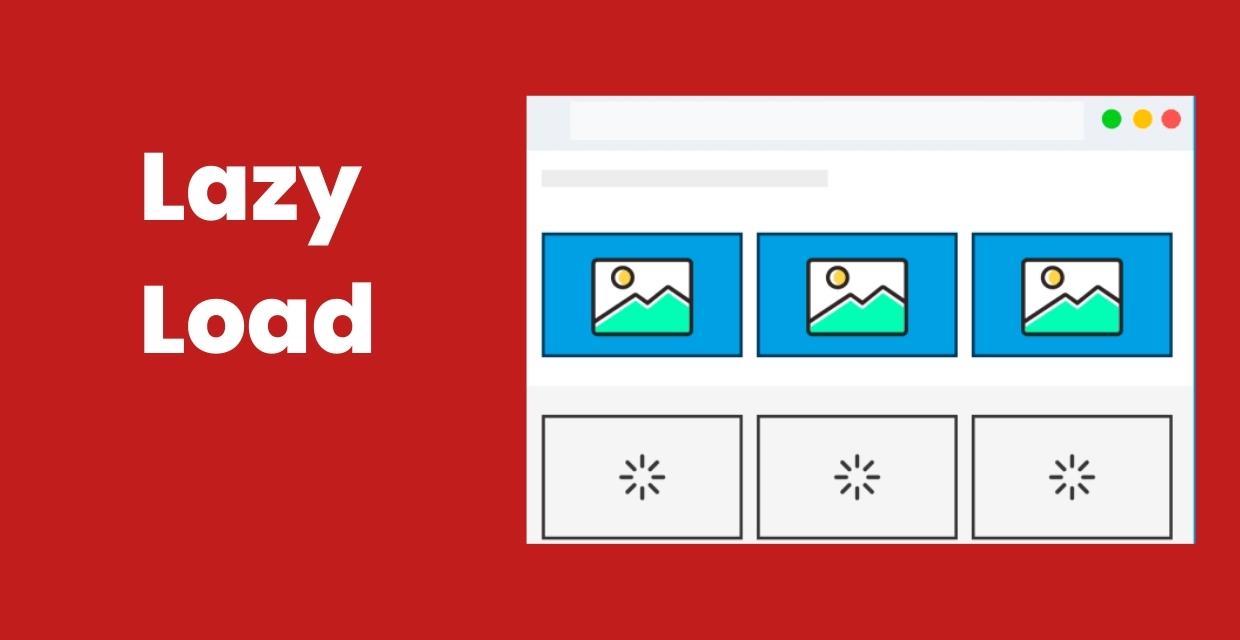
Lazy Load: Improve Website Loading Performance
In order to increase the loading speed of the website, we will discuss the lazy-loading issue, which is recommended by Google and must be used. In order to increase site performance, the lazy load feature, which reduces the initial page load and load time, should be used, thanks to the method to be applied to the images and/or videos on the page.You will find answers to questions such as "What is lazy load?", "What are the advantages and disadvantages?", and "Why lazy load should be preferred and how can it be applied?" in this content.What Is Lazy Load?Lazy load is a technical method that allows the post-loading of non-critical images and videos while the web page is loading. Non-critical resources are loaded when they are needed or in their turn. Lazy loading is optional and has no negative effects on the web page when used correctly.If you have used the PageSpeed Insights tool, it gives you some suggestions to improve the performance of your web page on mobile and desktop devices. PageSpeed Insights offers you some opportunity suggestions to improve the performance of the page you are analyzing. Among these recommendations are warnings that sometimes "non-critical" or "off-screen images" should be postponed.At this point, PageSpeed Insights states that the lazy load technique should be used for the images on the website. If you have encountered the following events when visiting any website, you most likely have visited a lazy load page. Here are some symptoms of lazy load usage: Content comes as you scroll on the page you visit, As you scroll the screen, the image becomes clear and the real image is loaded, The image with optional lazy loading suddenly pops up in its turn. All websites, especially e-commerce websites, use the late loading technique of images.On the Medium website, the placeholder technique is used, in which a smaller image is added instead of the original image, and when the screen starts to scroll, the original image takes its place.SEO Tip: Lazy-loading should be applied to invisible images outside the screen, not the first images that appear when the screen is opened.Why is Lazy Load Used in Web Pages?Lazy load is used to prevent the site from loading late and to improve performance while the images or videos on the web pages are loading the page. The purposes of using lazy load are as such:When the lazy load is not used, it causes unnecessary data consumption while loading a web page and downloading images that the user may never see. Server requests will be reduced. For every resource on the web page, the server is requested to no avail while the page is loading. In this case, it affects the site performance negatively. If lazy-loading is not used on the web page, it wastes hardware resources for the browser to understand and decode the code content and place the image in the content. In order to improve the performance of the website, the lazy loading of images and videos, reducing the number of requests, resource consumption and data size reductions are among the factors that will positively affect the performance.Advantages of Using Lazy Load When you want to optimize your visual content on your website online, using lazy loading reduces memory usage and provides a good user experience. Unnecessary code execution on the web page is avoided. The reason is that the content will be loaded in its turn. For website owners, it can reduce the resource cost as the request to the server is reduced. Disadvantages of Using Lazy Load The lines of code to be added to lazy-load images after the website is set up can confuse you when interpreting the code. Misuse can prevent your content from appearing in search engines. How to Apply Lazy Load to Pictures and Videos?There are different methods for applying the lazy-loading feature to the images on the web page. Modern web browsers lazy-load images and videos on web pages at the browser level. In older browsers, there are auxiliary javascript libraries to use the lazy load technique.What is Browser-Level Lazy Loading?Browser-level lazy loading for web pages is when modern browsers have coded lazy loading built into the background. Modern browsers are actively used in browsers such as Chrome, Firefox, Edge, and Opera with chromium support.For example, in modern browsers, to make images below the viewport load at a lower priority, simply add the loading attribute to the img and iframe elements.With the loading feature above, you do not need to add an extra library in the source code of your website for modern browsers.Using Lazy Load for PicturesIn HTML, two methods are used to include images on a web page. Images are loaded on web pages with CSS as a background image or element. Let's examine how the lazy load feature is implemented for both image loading methods.Using Lazy Load for Image ElementWhile adding the lazy load feature to the inline element in HTML, you can take advantage of the JavaScript libraries for modern browser-level lazy load or lazy load. We have included our example for browser-level installation in the previous topic. For older browsers, you can use JavaScript libraries.Using Lazy Load for Background ImageIn some websites, some images are used as background images with the help of CSS. Although this situation is not recommended in terms of SEO, it is a situation that should be considered in indirect SEO studies.The best solution for this situation is to load an image much smaller in size instead of the background image until it's time. It will be replaced by the original picture when it is their turn.Using Lazy Load for VideosAs in visual media, it can be ensured that videos are loaded late on web pages containing videos. The best usage method for this method is to activate the videos by the users.Google's Perspective on Lazy LoadGoogle says that the use of lazy-loading is among the best practices in terms of increasing performance and user experience when it comes to late loading of off-screen images on the web page. However, Google also says that this technique will cause the content to be hidden in Google if used incorrectly. In order for Googlebot to see all the content on the web page, make sure that the content is displayed while it is being viewed.Lazy Load Plugin Recommendation for WordPress WebsitesFor WordPress website owners, we recommend using the native lazy load plugin released by Google. After adding the plugin to your website, you do not need to take any additional action. The loading="lazy" attribute will be automatically added to all images and iframes on your website.Thanks to this simple and useful plugin, Googlebot will have no problem indexing lazy-loaded images on your website without any problems.How to Install Lazy Load?Lazy load installation varies according to the infrastructure of your website. If you have a WordPress website, you can follow the steps below on how to set up Lazy Load to snooze off-screen pictures. Login to the WordPress admin panel Click on Plugins > Add New button Type "Native Lazyload" in the "Search for plugins..." field Click the "Install Now" button to install the add-on Click the "Activate" button after the installation is complete That's how easy the installation is! This plugin that you install to optimize the WordPress website will take care of everything automatically for you.If there is no CMS website, add the JS file URL of the lazyload library you want to use between the tags of your site to install lazyload. Then just write "lazyload" to your image's class.ConclusionWhen the lazy load feature is used carefully and correctly, lazy-loaded images and videos can reduce the file size downloaded during the initial web page load time and on-page load.Users who visit the website can sometimes leave the site without scrolling to sub-pages in the content. Lazy loading leads to both network demand and resource usage, as images below the screen are downloaded on unused sites.If the web page contains too many images, lazy loading is a very good technique to improve the performance of your website on the PageSpeed Insights side.

Sustainability in E-Commerce
Sustainability is not a factor that can be ignored in e-commerce—it must not be. The rising trend of environmental sustainability is humanity’s reflex against the destructive “grow or die” imperative of capitalism. In e-commerce, sustainability can span from business models to packaging materials, and with younger generations increasingly taking the lead, it will become ever more important in the years ahead.Awareness of environmental issues and sustainability has long been a trend in global e-commerce. To successfully meet growing consumer demands for sustainability, online retailers have been focusing on topics such as corporate social responsibility and eco-friendly approaches within their supply chains.In this article, we will cover: What Is Sustainability? Sustainability in the E-Commerce Sector How the New Generation Views Sustainability Example Brands What Is Sustainability? (Revisited) “Sustainability,” a concept we’ve been hearing about increasingly in recent years, aims—as its name suggests—to ensure that all living beings around the world can continue to exist indefinitely. The ultimate goal is to build a world where we do not compromise today’s standard of living, where future generations can equally benefit, where resources are used in a controlled manner, and where everyone can live healthily and happily. Every effort—including those in e-commerce—must be in harmony with nature. No individual or corporate action should disrupt ecological balance; rather, it should directly or indirectly contribute to its long-term stability. A. Getting Started in E-CommerceE-commerce has spread rapidly worldwide since the 1990s. In Turkey, it has become especially popular over the last 20 years. Naturally, with this boom in online shopping comes an increase in waste materials. Shipping boxes, plastic bags, branded plastic wraps from courier companies, and so on accumulate as large piles of recyclable or non-recyclable waste. In this situation, traditional businesses moving into e-commerce have begun to focus more on eco-friendly practices and must become increasingly cautious about sustainability.B. Sustainability Around the WorldScientists and international bodies have made broad calls and warnings urging humanity to protect nature and ensure sustainable living on Earth. These calls demand fundamental changes and urgent measures to avoid further environmental harm. Ensuring and supporting sustainable living has become inevitable for nations. Therefore, while maintaining economic development, countries must avoid actions that harm the environment and develop strategic plans for sustainable development. The urgency of sustainable development grows daily. Many international organizations are actively working on sustainability. Bodies such as the European Union (EU) and the United Nations (UN) have mobilized to promote sustainable growth, devising various strategies and policies. Under its Europe 2020 strategy, the European Commission defined three main growth priorities, one of which is “promoting a more resource-efficient, greener, and more competitive economy.” Meanwhile, the United Nations took an even more comprehensive step. In 2000, the UN set the Millennium Development Goals (MDGs) and in 2015 expanded them into the Sustainable Development Goals (SDGs). The SDGs are considered the most comprehensive action plan for nations to achieve sustainable development. These goals are financially supported by the World Bank Group (2017) and the International Monetary Fund (IMF, 2020). In September 2015, the UN adopted 17 SDGs as core components of the 2030 Agenda for Sustainable Development—extended versions of the MDGs that concluded at the end of 2015. All UN member states committed to building a sustainable future encompassing the three dimensions of development: environmental, social, and economic.C. Reducing Carbon FootprintLogistics—especially transportation by truck or plane—relies heavily on fossil fuels, increasing carbon emissions. Reducing carbon footprints helps slow and mitigate global warming. In Turkey, a prime example of a company leading carbon footprint reduction is Yemek Sepeti. Handling millions of orders daily, they removed single-use plastic cutlery, drastically cutting plastic waste. Another notable example is Koton, which redesigned its cardboard packaging for multiple uses, thereby reducing its carbon footprint. LC Waikiki launched a project to transform its shipping boxes into toys for children, further promoting sustainability.On their website, LC Waikiki describes the initiative:“LC Waikiki is preparing to win children’s hearts with its new project. According to a LinkedIn post by E-commerce General Manager Ömer Barbaros Yiş, the brand’s shipping boxes will now become toys.”This initiative, while still under development, hints at a creative approach to reducing waste and enhancing customer engagement.D. The New GenerationThe 1970s hippie movement introduced environmental respect and sustainability topics to the wider public. In the 1990s, as e-commerce spread globally, discussions of sustainability in online retail began in earnest. Millennials—born in the ’80s and ’90s—are generally more aware and conscientious than earlier generations (Baby Boomers and Generation X). Economic crises and environmental disasters (e.g., Amazon deforestation, melting glaciers, wildfires in Australia and elsewhere) have made Generation Z even more attentive to sustainability. Generation Z, born into the internet era, often shops online as a matter of course—and sometimes even more than offline. For them, sustainability in e-commerce is critically important. Knowing this, both legacy retailers and pure-play e-commerce startups are embracing sustainability practices as both a business strategy and a demonstration of respect for the environment.E. Sustainable E-Commerce in TurkeyE-commerce has existed in Turkey for over 20 years, but initial distrust of the internet slowed its growth. Over the past five years, sales have surged, especially during the COVID-19 pandemic, mirroring global trends. Because e-commerce developed later in Turkey than in many other countries, both traditional retailers moving online and new e-commerce ventures are rapidly adapting and innovating to meet consumer expectations.Example BrandsSome Turkish companies leading the way in sustainable e-commerce include:E-BebekE-Bebek is often the first name that comes to mind regarding sustainability in Turkey. According to an Instagram post by Sertaç Doğanay, they introduced “detergent refill centers” in major stores. Customers bring their own containers to refill detergent at prices lower than retail, reducing single-use plastic waste and embracing an eco-friendly commerce model. MaviMavi took a step by switching from disposable plastic shipping bags to resealable, reusable pouches, minimizing plastic usage. They also launched the “Mavi Transformation” project, turning 593,750 recycled PET bottles into high-quality denim through their expertise. CEO Cüneyt Yavuz stated: “Using innovation and technology, we’re transforming denim and aim for 100% sustainable All Blue products by 2030.”LC WaikikiLC Waikiki’s “Green Collection” of eco-friendly, organic apparel demonstrates its commitment to sustainability. They also announced plans to convert shipping boxes into toys, as hinted by E-commerce GM Ömer Barbaros Yiş on LinkedIn.Boyner GroupBoyner Group highlights its sustainability and CSR efforts under four pillars: Social Impact, Environmental Impact, Workplace Democracy, and Our Value Chain. They publish transparent sustainability reports from 2008 to 2020, showcasing their eco-friendly initiatives and commitment to a sustainable future.If you found this blog post on sustainable e-commerce helpful, please share it on social media so others can benefit!